Search function does not find words with different scaling
Posted: Fri Dec 05, 2014 10:44 pm
I use Word 2002. Sometimes in a Word document two letters in a word are very close together and then I use a function which in English must be called "character scaling" or "character spacing". Anyway it is this feature:
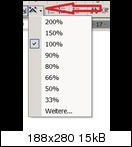
The default value is 100%. Then I select for example two letters and change the scaling value for these letters (e.g. to 105%). When copying and pasting afterwards the word into a document of MyInfo, the search function of my MyInfo ("Find text" / Ctrl+F) will no longer recognize/find these letters (but only the rest of the word).
For example: I paste the word "international" (with a scaling between the letters "e" and "r" of 105% instead of 100%) into MyInfo. ---> Ctrl+F will not show me any results when searching for "international" (or for "inter"). Only the search for (let's say) "national" (as a part of the full word) will be successful (provided of course that the option "Whole words only" is not activated).
When choosing again (within Word) 100% for all characters, the search function works again as it should.

The default value is 100%. Then I select for example two letters and change the scaling value for these letters (e.g. to 105%). When copying and pasting afterwards the word into a document of MyInfo, the search function of my MyInfo ("Find text" / Ctrl+F) will no longer recognize/find these letters (but only the rest of the word).
For example: I paste the word "international" (with a scaling between the letters "e" and "r" of 105% instead of 100%) into MyInfo. ---> Ctrl+F will not show me any results when searching for "international" (or for "inter"). Only the search for (let's say) "national" (as a part of the full word) will be successful (provided of course that the option "Whole words only" is not activated).
When choosing again (within Word) 100% for all characters, the search function works again as it should.
