Page 1 of 1
[fixed] Note Structure Pane
Posted: Tue May 02, 2023 2:09 pm
by cblamuc
I appreciate very much the new feature of structuring notes by headings! But there is some misbehaviour in the Note Structure Pane: The indenting down the headings works correctly, but if there is a two or more step indenting, the next outdenting to a higher level moves back to the top level mode, which gives a wrong picture of the structure in the note. It looks like this:
- heading 1
- - heading 2
- - - heading 3
- heading 2
- - heading 3
Any idea?
Re: [by design] Note Structure Pane
Posted: Thu May 04, 2023 10:58 am
by Petko
This is how it works in other applications too, I am afraid. What could be improved however is to add a visual representations for the levels like H1, H2, H3, etc as icons in front of them.
Re: [by design] Note Structure Pane
Posted: Thu May 04, 2023 6:51 pm
by Telesto
@Petko
Are you sure? I would expect paragraph C to be at the same level as Paragraph A/B
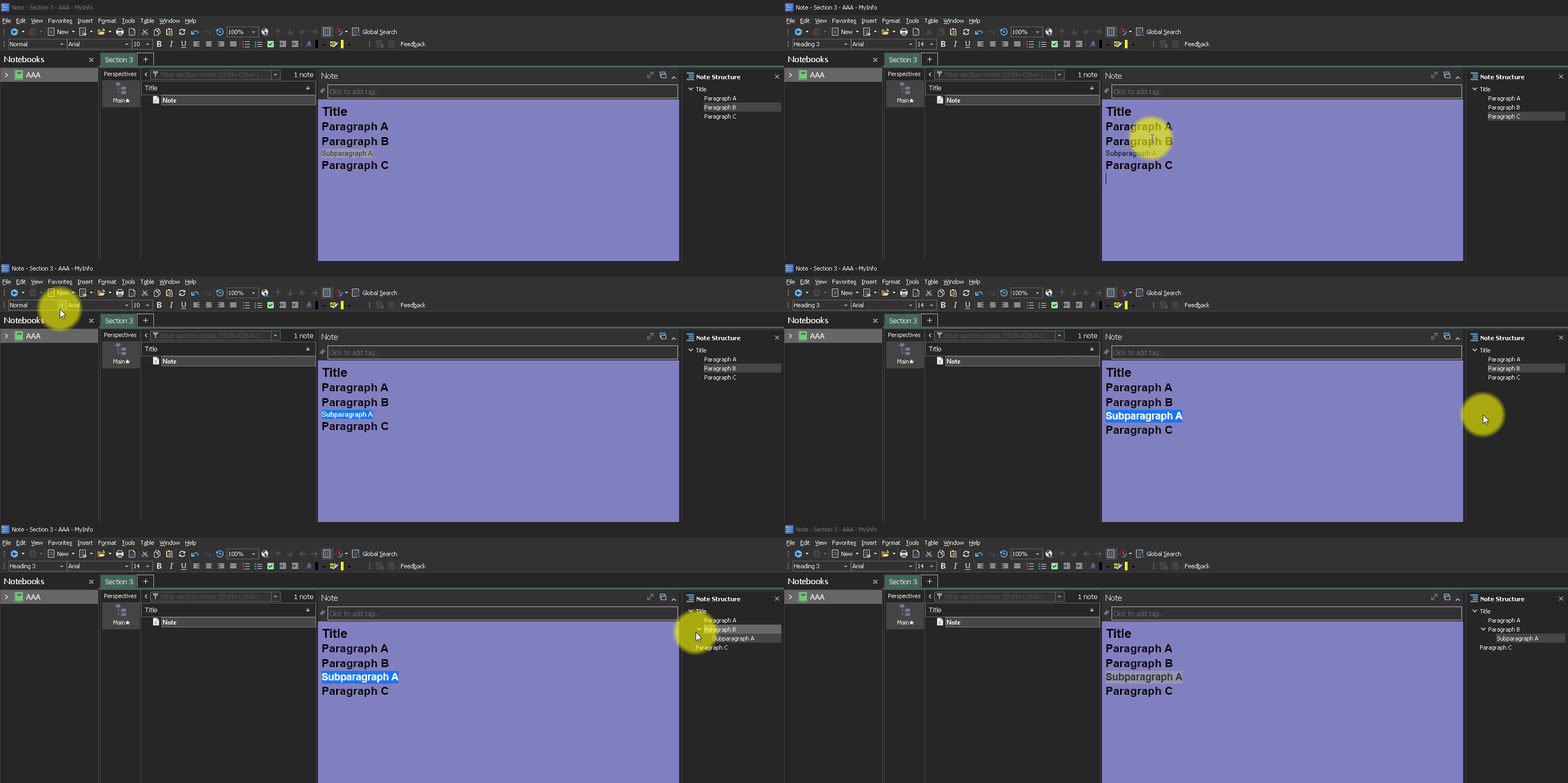
- Record_2023_05_04_20_50_34_45.gif (431.18 KiB) Viewed 11508 times
Re: [by design] Note Structure Pane
Posted: Wed May 17, 2023 7:50 am
by Petko
I have misinterpreted the post it seems. This is a bug and will be fixed soon.
Re: [fixed] Note Structure Pane
Posted: Wed May 17, 2023 2:28 pm
by Petko
Fixed in MyInfo 8.0 (build 7873).
Re: [fixed] Note Structure Pane
Posted: Wed May 17, 2023 4:19 pm
by cblamuc
Works! Thanks @Petko!
