Page 1 of 1
Moving Notes to Different Sections
Posted: Sat Oct 05, 2024 1:54 am
by noone22
When I move a note to a different section please allow the ability to move the note to a specific folder/note in the section instead of at the bottom of the section.
I would like to move Section 1 / Note 5 to Section 2 / Folder 2
Example:
Section 1
Note 5
Section 2
Folder 1
This is note 1
This is note 2
Folder 2
This is note 3
This is note 4
Thank you for the consideration...J
Re: Moving Notes to Different Sections
Posted: Thu Oct 10, 2024 9:25 am
by Telesto
I think this should be possible already (or it was possible in the past)
Re: Moving Notes to Different Sections
Posted: Thu Oct 10, 2024 11:28 am
by noone22
When you move a note to a different section all you see are the sections to choose from then the note is moved to the bottom of the section and you need to move it to the appropriate location in the section, it would be helpful to move the note to the correct section on the initial move.
Regards..J
Re: Moving Notes to Different Sections
Posted: Thu Oct 10, 2024 6:08 pm
by Telesto
Screencast
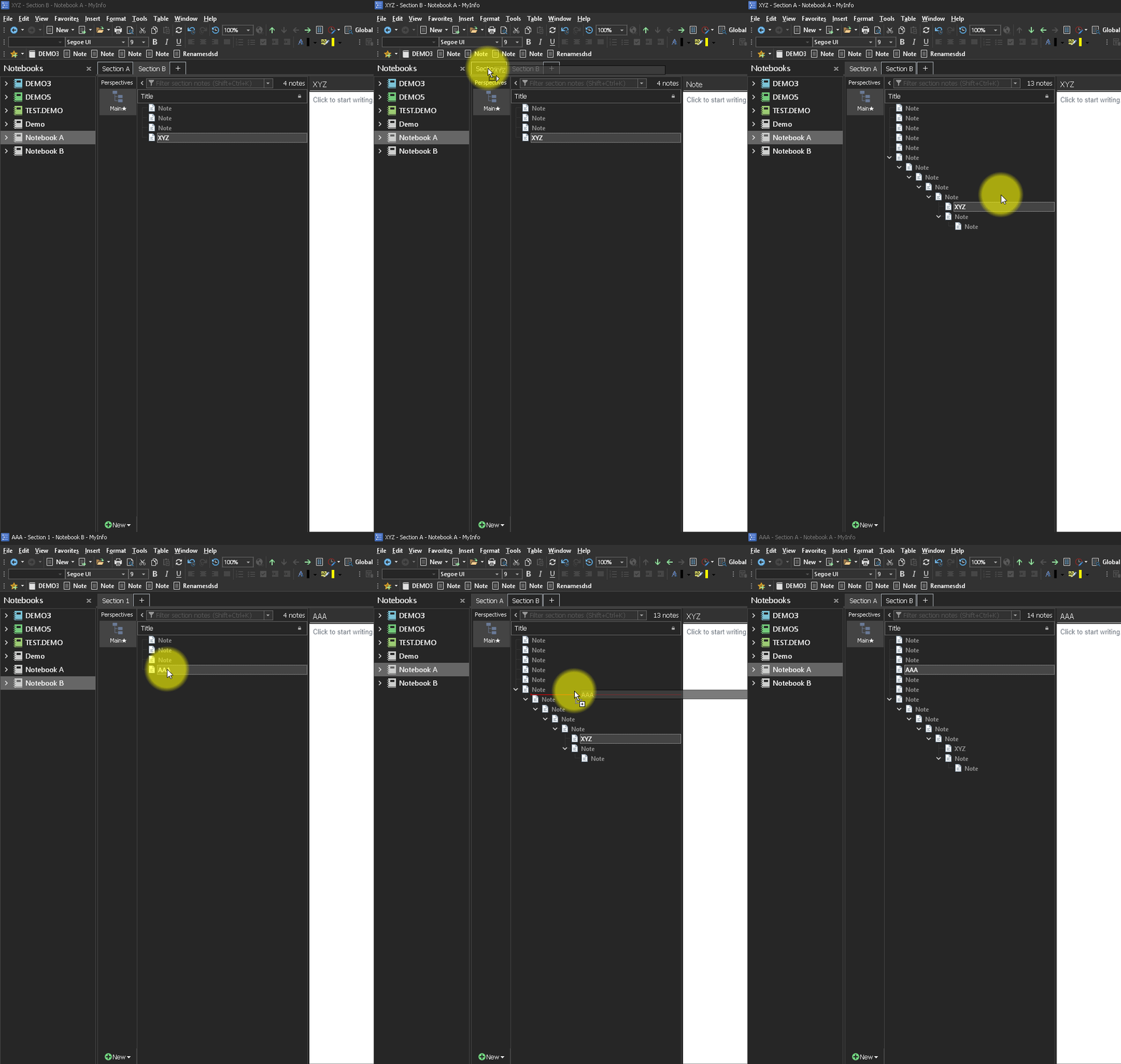
- Record_2024_10_10_20_05_34_246.gif (323.18 KiB) Viewed 78363 times
Re: Moving Notes to Different Sections
Posted: Fri Oct 11, 2024 7:29 am
by noone22
Telesto - thank you.
Drag and Drop is what I was looking for which works well.
The following steps only move the note to the other section, it does not provide the ability to choose the area in the section to move/copy the note like drag and drop does.
1. Right click on the note
2. Click on Move or Copy Notes ( Shift Alt M ),
3. Select the section
4. Click on Move or Copy button
Suggestion
When in the Move or Copy screen, it would be helpful to be able to see the hierarchical notes which would allow the ability to select the area in the section the note should be moved/copied.
Regards...J